New · Built for iOS

Tasks, with intelligence.

A minimalist task tracker for iPhone, iPad, and Apple Watch. Let Apple Intelligence draft your plans, break down big work, and write the checklists for you.
ClearFlow on iPhone
Apple Intelligence

Describe it. AI plans it.

Type what you want to get done. ClearFlow uses on-device Apple Intelligence to draft complete tasks — with notes, due dates, and checklists — in seconds. Nothing leaves your device.

Task Suggestions

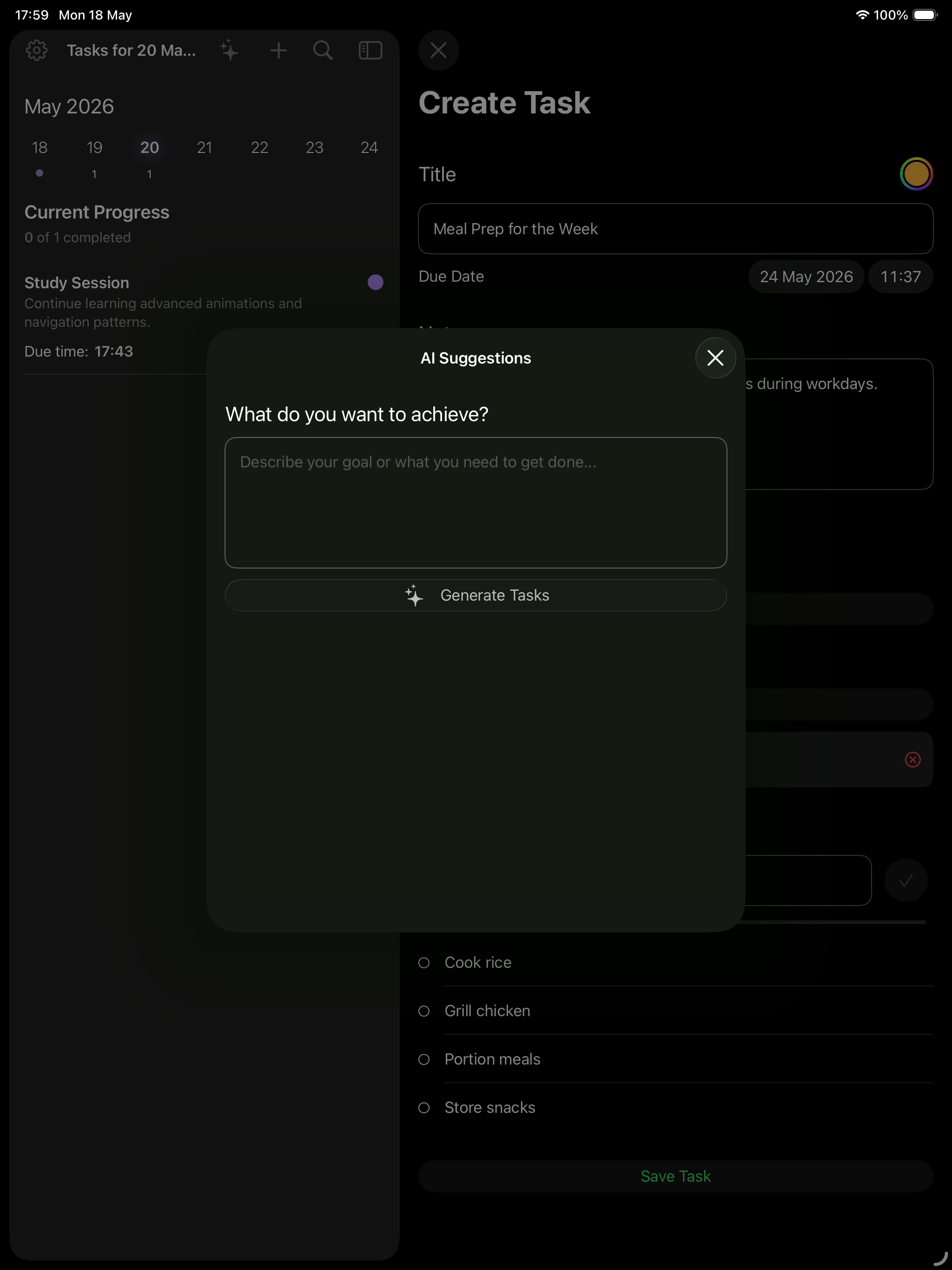
Describe a goal and get 1–5 ready-to-save tasks, each with their own checklist.

Auto-Checklists

Turn any task title into a 2–10 step plan with a single tap.

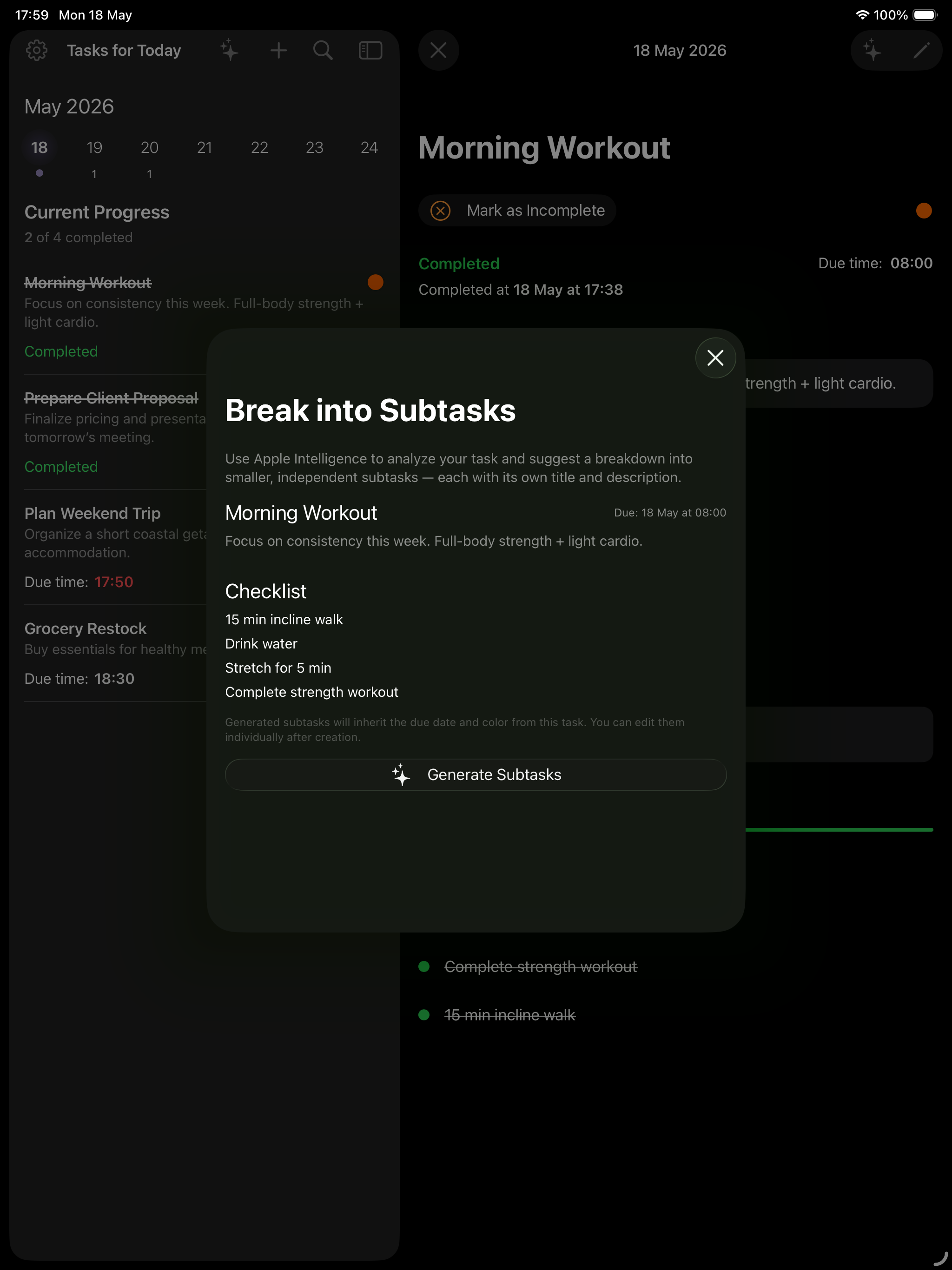
Break into Subtasks

Split overwhelming tasks into smaller, independent ones — each with its own detail.

AI Suggestions on iPad
What's inside

Designed for focus.
Built for every device.

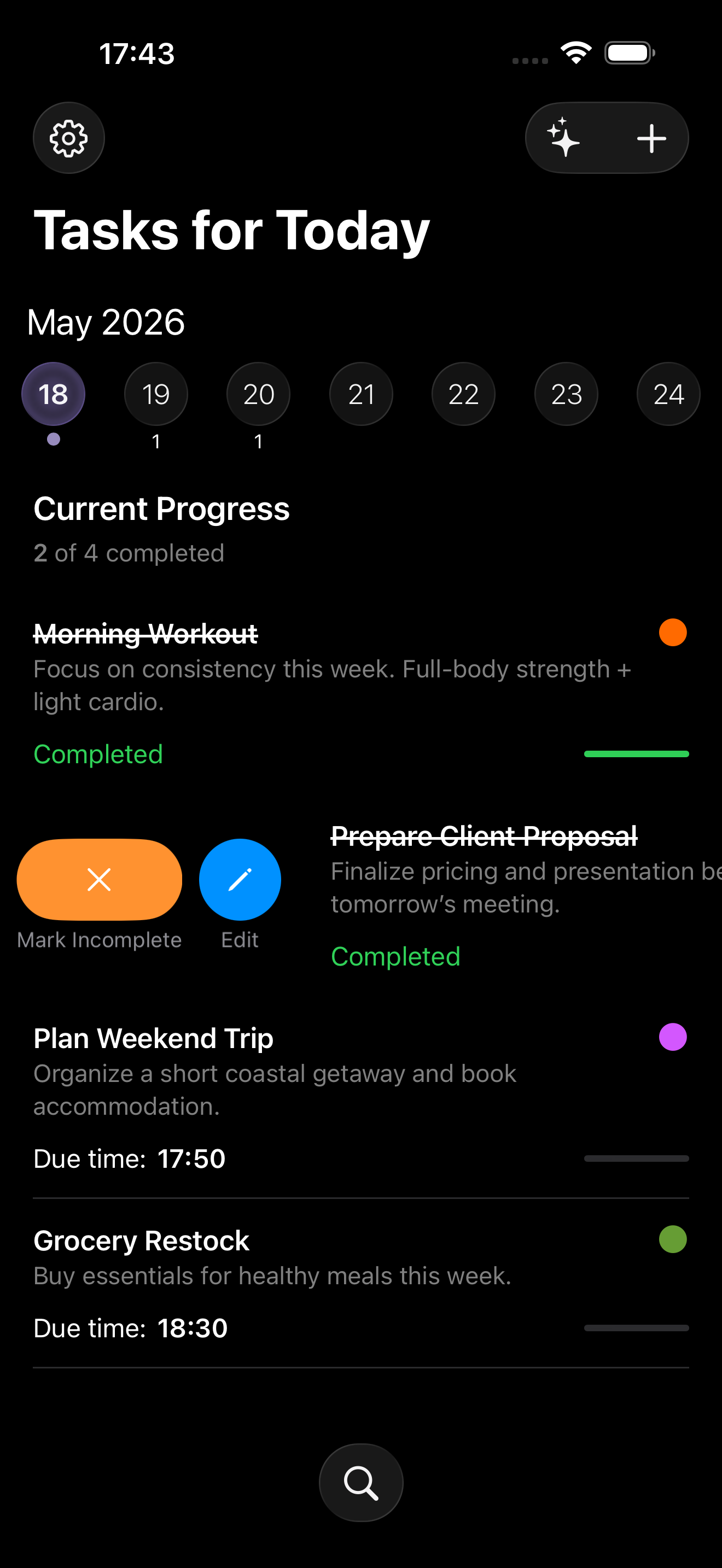
Every task. One glance.

A clean weekly calendar, progress at the top, and your day laid out in order. Swipe to complete, tap to dive in.

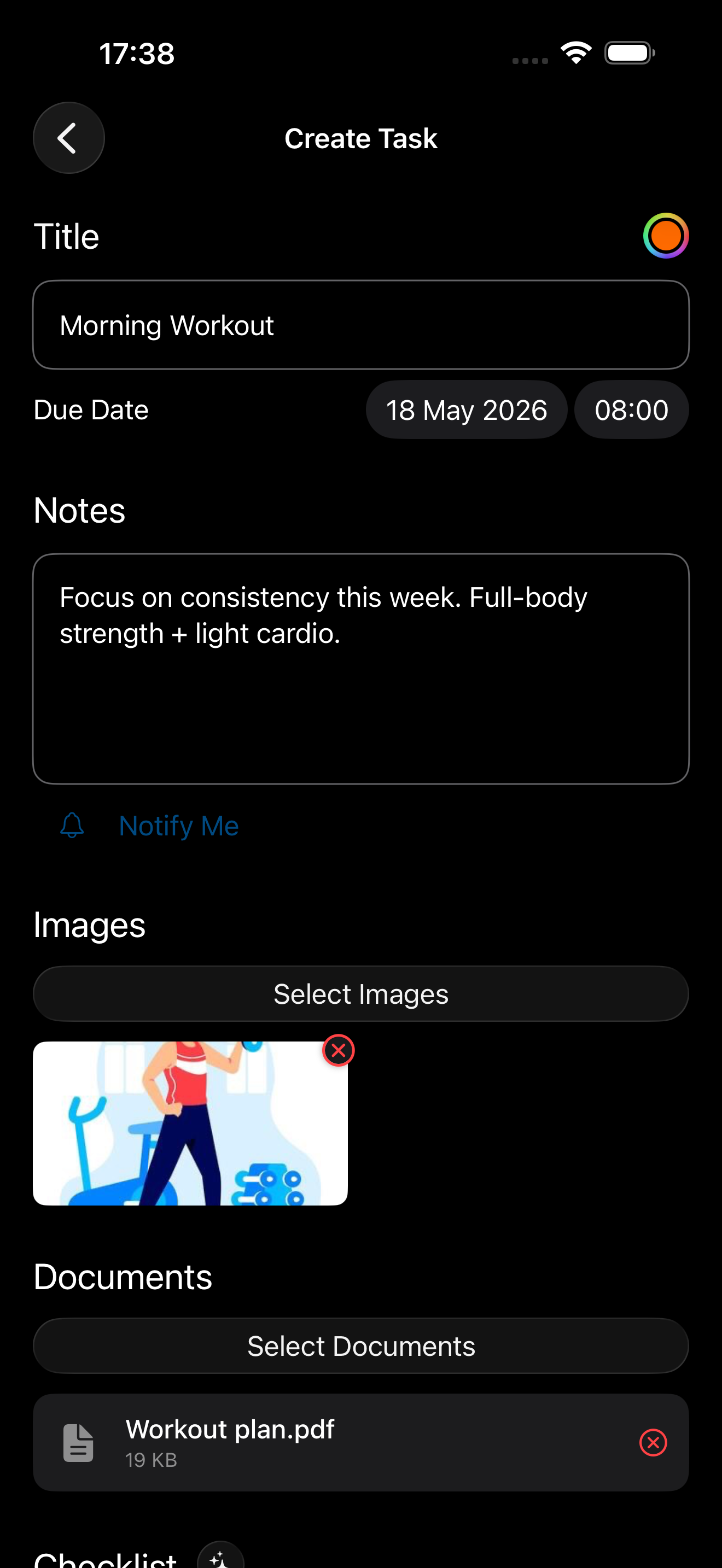
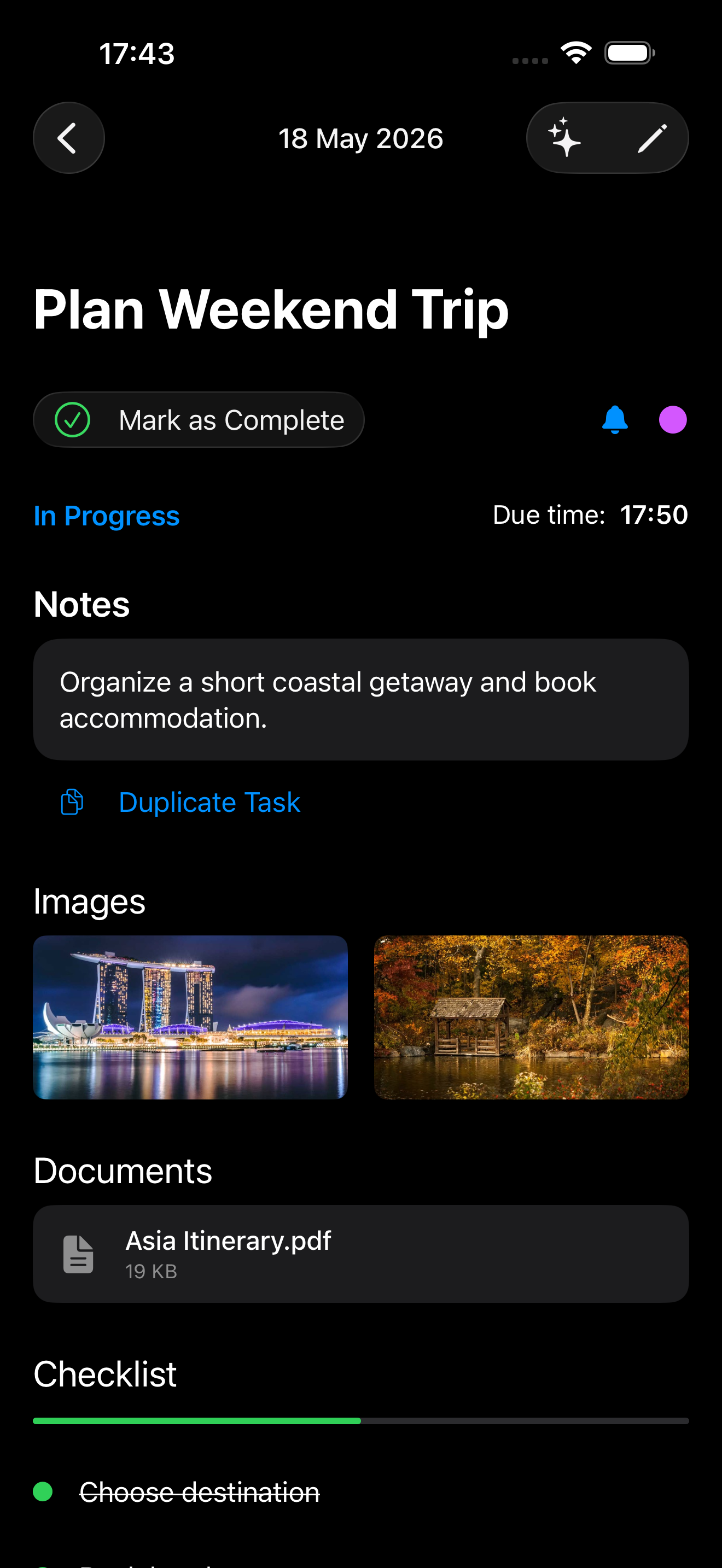
Rich details.

Notes, photos, documents, and checklists — all attached to the task, never lost.

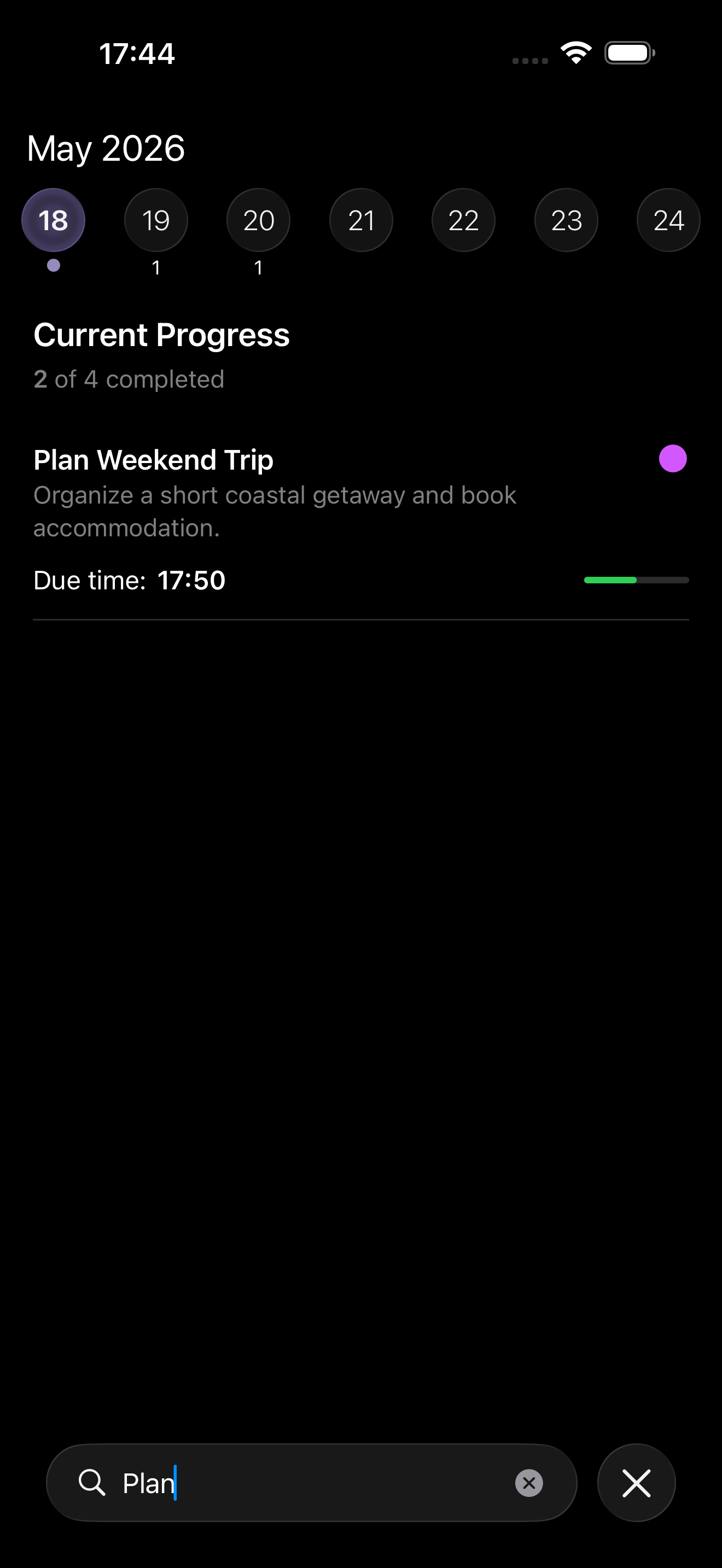
Find anything, instantly.

Full-text search across every task, note, and checklist item — no folders, no fuss.

Synced through iCloud.

Every task, image, and checklist syncs privately across your devices. Locked behind Face ID when you want it.

On-device · Private · Fast

Big tasks become smart steps. Plans appear before you finish typing.

Break into subtasks on iPad
One app. Three devices.

Always at hand.

ClearFlow runs natively on iPhone, iPad, and Apple Watch — built with SwiftUI, synced through iCloud. Add a task from your wrist, check it off from your iPad.

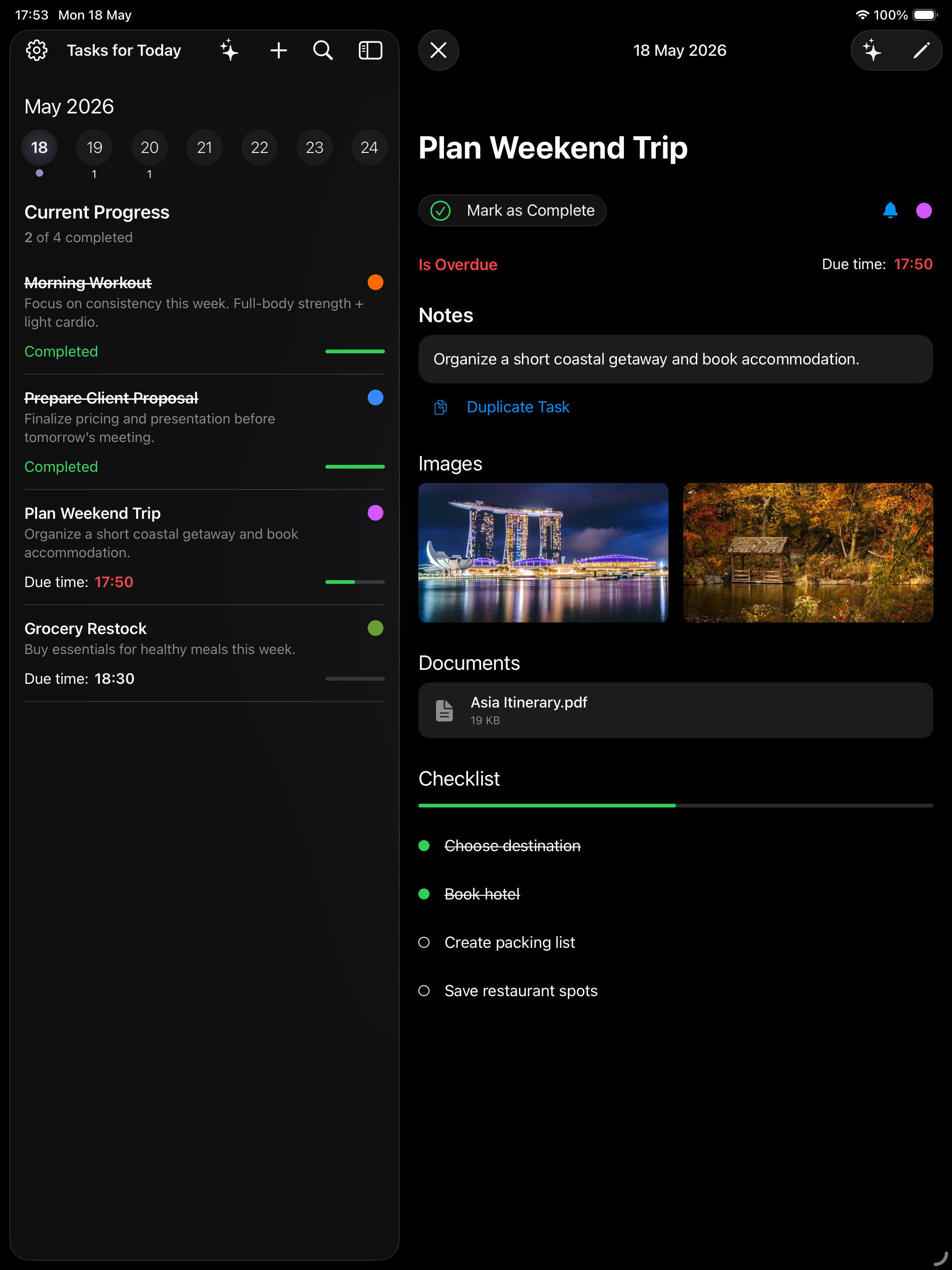
iPad · Split View

Sidebar. Detail. Done.

Every task and every detail on one beautiful screen.

ClearFlow on iPad
iPhone · iOS 26

Your day, organized.

Calendar, progress, search — everything one swipe away.

ClearFlow on iPhone
Watch · Series 9+

On your wrist.

Tap, glance, done.

ClearFlow on Apple Watch

Clear it. Flow.

Available on the App Store for iPhone, iPad, and Apple Watch. Free to download. Free to try.

Download on the App Store